Source: Articles on Smashing Magazine — For Web Designers And Developers | Read More
Practical UX guidelines to keep in mind for 466 million people who experience hearing loss. More design patterns in Smart Interface Design Patterns, a friendly video course on UX and design patterns by Vitaly.
When we think about people who are deaf, we often assume stereotypes, such as “disabled” older adults with hearing aids. However, this perception is far from the truth and often leads to poor decisions and broken products.
Let’s look at when and how deafness emerges, and how to design better experiences for people with hearing loss.
Deafness spans a broad continuum, from minor to profound hearing loss. Around 90–95% of deaf people come from hearing families, and deafness often isn’t merely a condition that people are born with. It frequently occurs due to exposure to loud noises, and it also emerges with age, disease, and accidents.

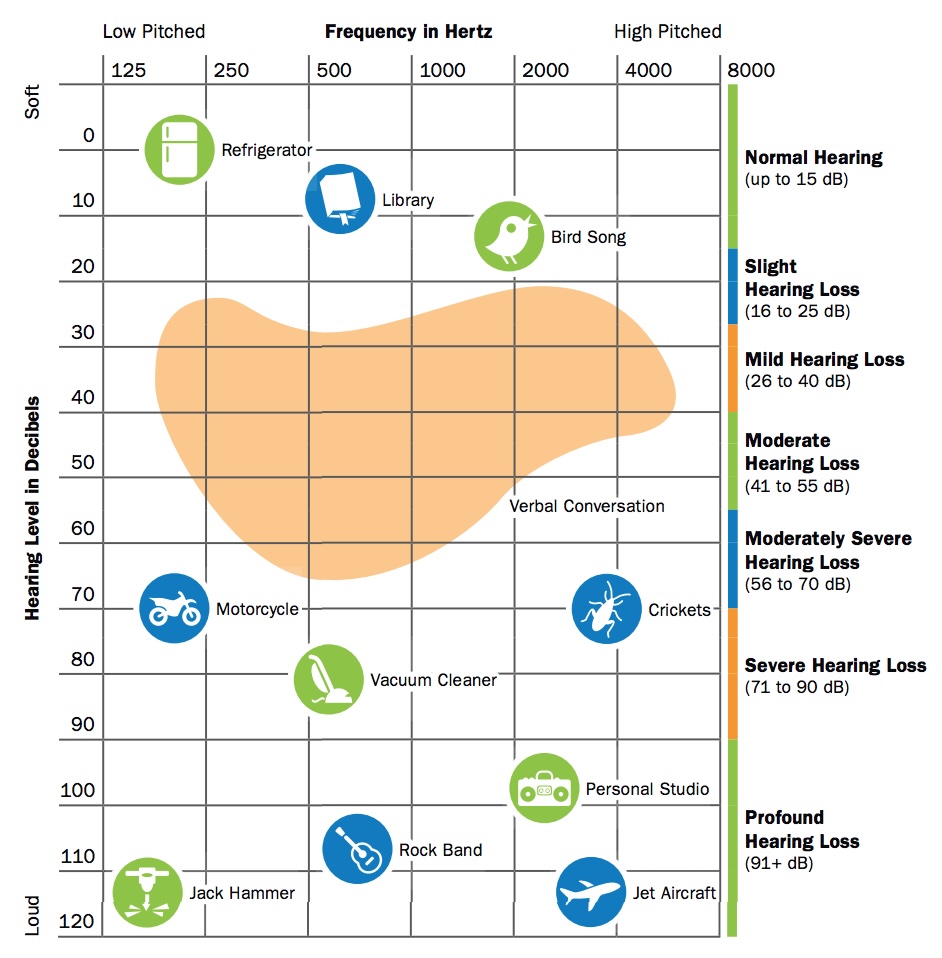
The loudness of sound is measured in units called decibels (dB). Everybody is on the spectrum of deafness, from normal hearing (up to 15 dB) to profound hearing loss (91+ dB):
It’s worth mentioning that loss of hearing can also be situational and temporary, as people with “normal” hearing (0 to 25 dB hearing loss) will always encounter situations where they can’t hear, e.g., due to noisy environments.
Assumptions are always dangerous, and in the case of deafness, there are quite a few that aren’t accurate. For example, most deaf people actually do not know a sign language — it’s only around 1% in the US.
Also, despite our expectations, there is actually no universal sign language that everybody uses. For example, British signers often cannot understand American signers. There are globally around 300 different sign languages actively used.
“We never question making content available in different written or spoken languages, and the same should apply to signed languages.”

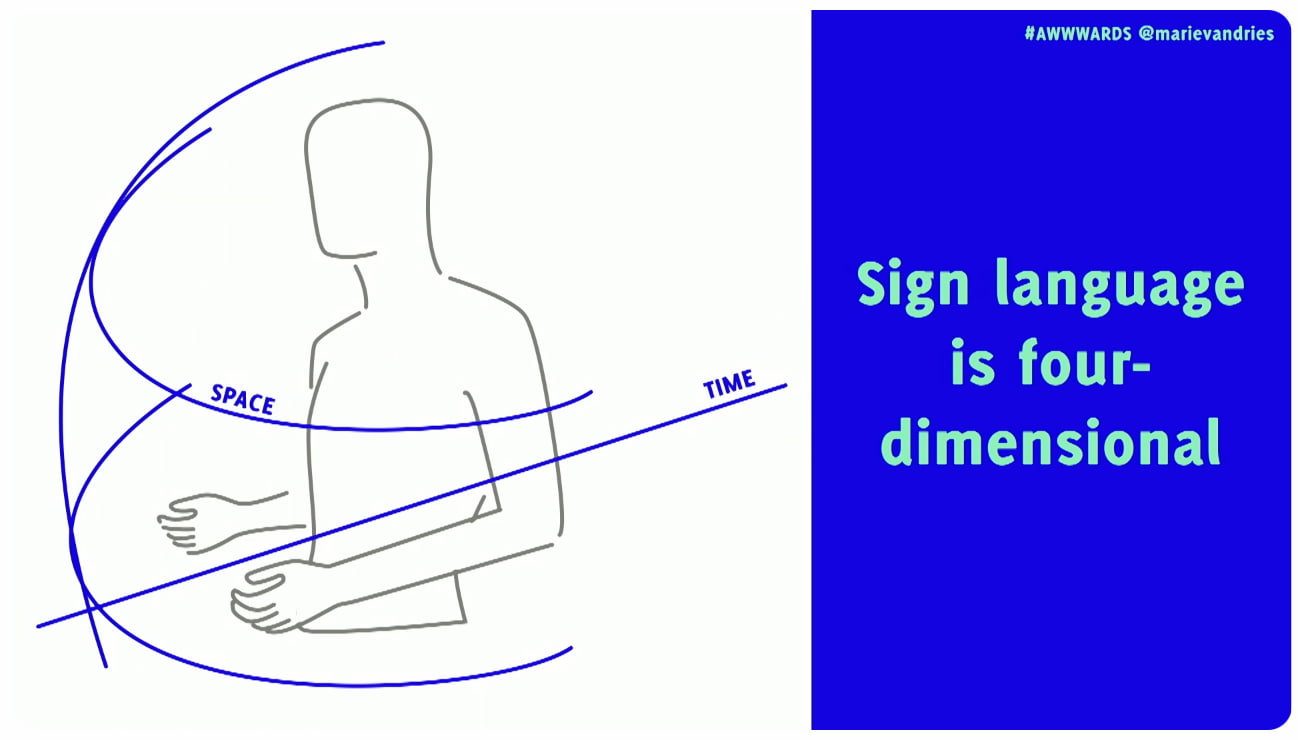
Sign languages are not just gestures or pantomime. They are 4D spatial languages with their own grammar and syntax, separate from spoken languages, and they don’t have a written form. They rely heavily on facial expression to convey meaning and emphasis. And they are also not universal — every country has its own sign language and dialects.
Keep in mind that many deaf people use the spoken language of their country as their second language. So to communicate with a deaf person, it’s best to ask in writing. Don’t ask how much a person can understand, or if they can lip-read you.
However, as Rachel Edwards noted, don’t assume someone is comfortable with written language because they are deaf. Sometimes their literacy may be low, and so providing information as text and assuming that covers your deaf users might not be the answer.
Also, don’t assume that every deaf person can lip-read. You can see only about 30% of words on someone’s mouth. That’s why many deaf people need additional visual cues, like text or cued speech.

It’s also crucial to use respectful language. Deaf people do not always see themselves as disabled, but rather as a cultural linguistic minority with a unique identity. Others, as Meryl Evan has noted, don’t identify as deaf or hard of hearing, but rather as “hearing impaired”. So, it’s mostly up to an individual how they want to identify.
In general, avoid hearing impairment if you can, and use Deaf (for those deaf for most of their lives), deaf (for those who became deaf later), or hard of hearing (HoH) for partial hearing loss. But either way, ask politely first and then respect the person’s preferences.
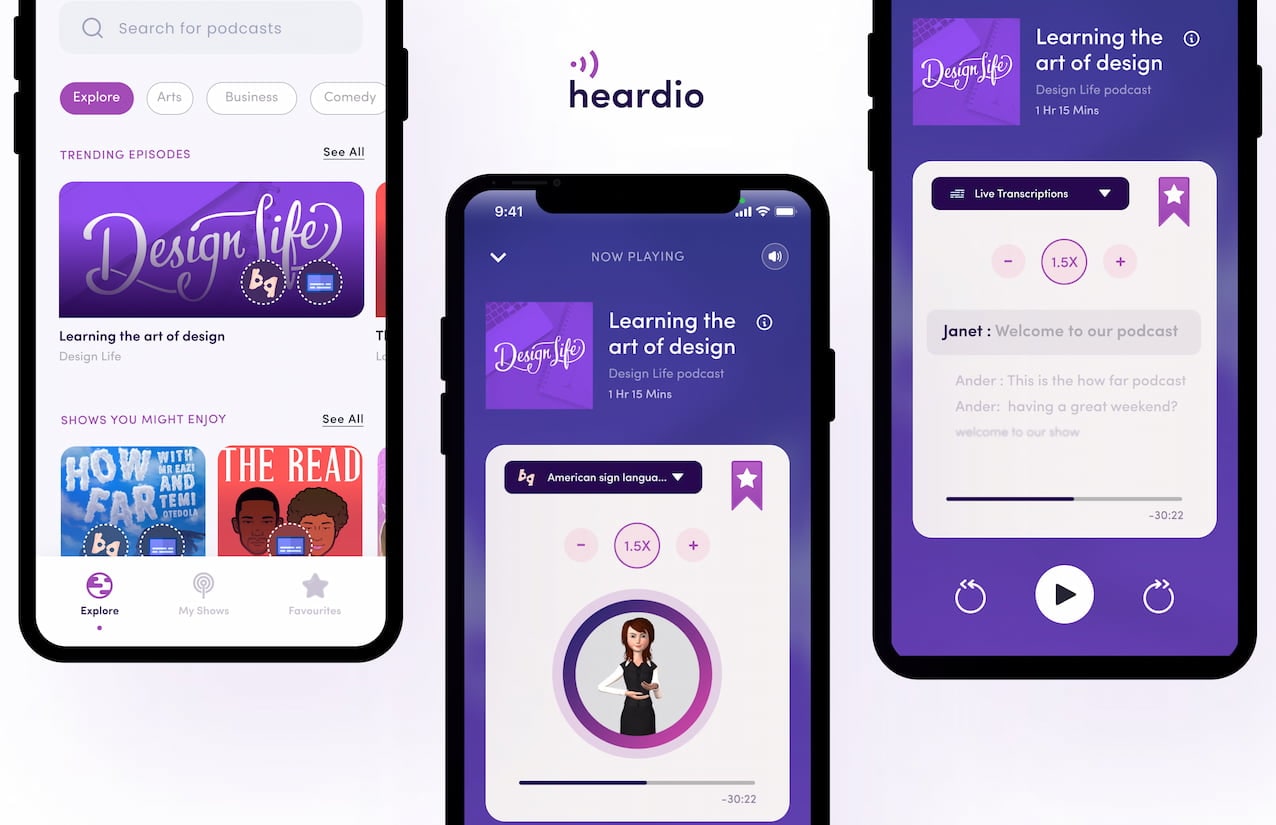
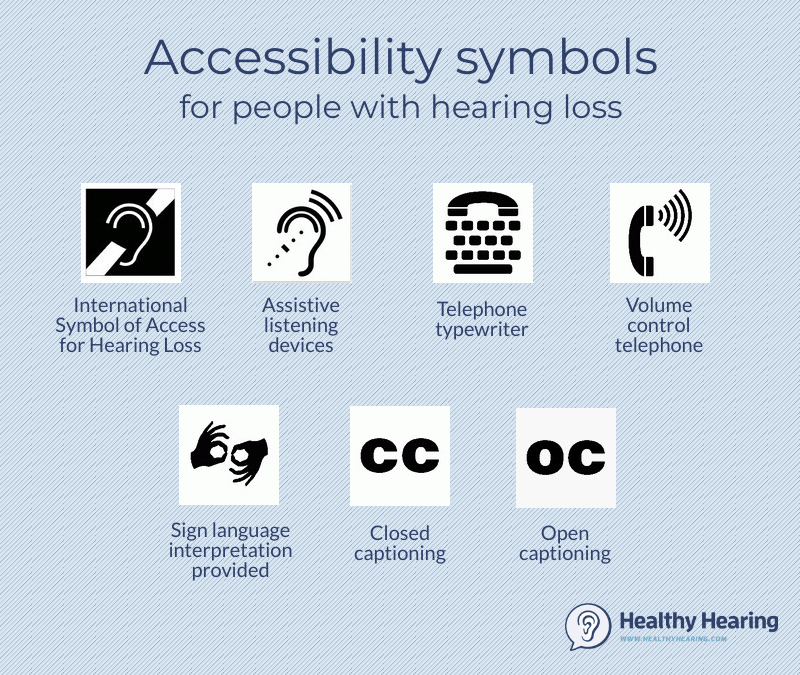
When designing UIs and content, consider these key accessibility guidelines for deaf and hard-of-hearing users:

I keep repeating myself like a broken record, but better accessibility always benefits everyone. When we improve experiences for some groups of people, it often improves experiences for entirely different groups as well.
As Marie Van Driessche rightfully noted, to design a great experience for accessibility, we must design with people, rather than for them. And that means always include people with lived experience of exclusion into the design process — as they are the true experts.
Accessibility never happens by accident — it’s a deliberate decision and a commitment.
No digital product is neutral. There must be a deliberate effort to make products and services more accessible. Not only does it benefit everyone, but it also shows what a company stands for and values.
And once you do have a commitment, it will be so much easier to retain accessibility rather than adding it last minute as a crutch — when it’s already too late to do it right and way too expensive to do it well.
You can find more details on design patterns and UX in Smart Interface Design Patterns, our 15h-video course with 100s of practical examples from real-life projects — with a live UX training later this year. Everything from mega-dropdowns to complex enterprise tables — with 5 new segments added every year. Jump to a free preview. Use code BIRDIE to save 15% off.

$ 495.00 $ 699.00Get Video + UX Training
25 video lessons (15h) + Live UX Training.
100 days money-back-guarantee.
$ 300.00$ 395.00
40 video lessons (15h). Updated yearly.
Also available as a UX Bundle with 2 video courses.